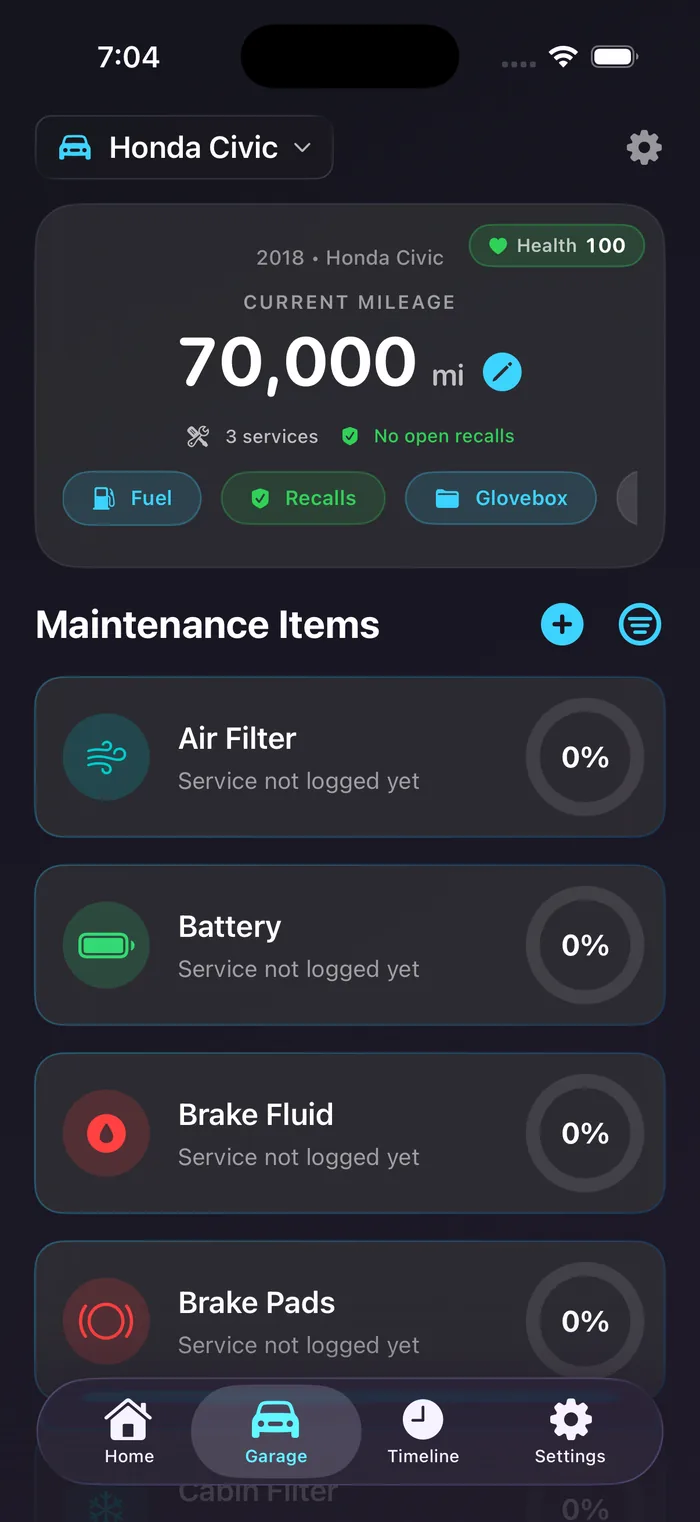
Maintenance tracking
Each vehicle gets its own checklist with real service intervals built in: oil, brakes, tires, fluids, filters, plugs, tracked side by side.
Sort by what’s closest to due, and tap any item to see how it’s tracked by both date and mileage. Local-first, with optional private iCloud sync.
Smart reminders
Cars don’t care about today — they care how far you’ve driven. Miles tracks time and mileage and tells you whichever comes first.
Update mileage when you log a service and the schedule recalculates automatically. Notifications are local to your device.
VIN scanner
Tap Scan VIN, point your camera at the sticker, and Miles decodes the year, make, and model before you save. Add a car in under a minute.
No camera? Type the VIN, or just the year, make, and model. Miles keeps the VIN on the profile for insurance, registration, or parts.
Private iCloud sync Premium
Sync uses Apple’s CloudKit private database. Your records live in your own iCloud account, accessible only to you: not us, not a third party.
The same history appears on every device on your Apple ID. Don’t want sync? Leave it off. Miles works completely offline.
Custom maintenance items
Miles ships with the standard items every car needs, but cars are weird. Add your own with a custom name, icon or photo, and the interval that fits.
Custom items get the same reminders, timeline, and export, first-class alongside the built-ins. Logging an aftermarket part is just as quick.
PDF export Premium
Open a vehicle, tap export, choose PDF. Miles generates a clean history with every service, the mileage at the time, photos, prices, and notes.
Save it to Files, email it to a buyer, AirPrint it, or hand it to a mechanic. A documented history can help reassure a buyer at sale time.